
Run your whole 200-hour training from one place.
Plan the schedule, review assignments, record attendance and manage payment plans with a community chat for the whole cohort. Students get one app for the training, with study support based on your own material.
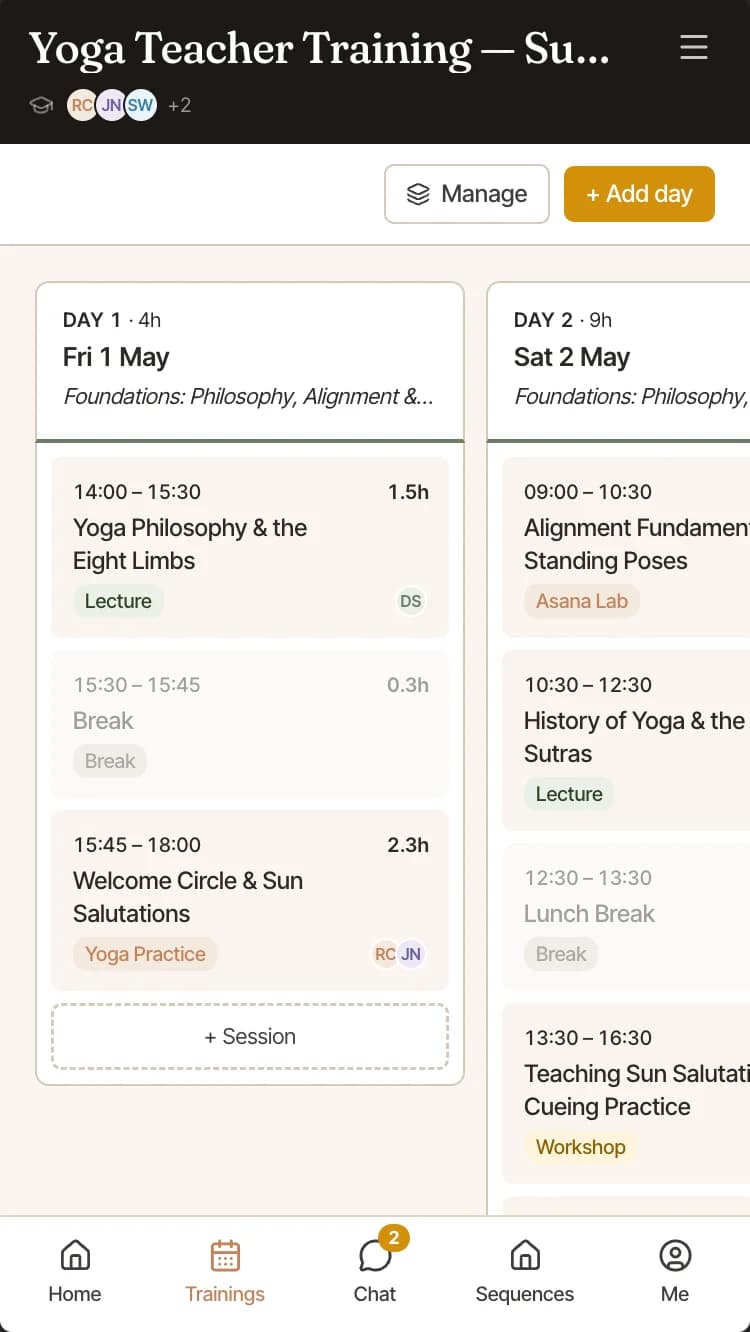
The whole training on one screen
See every training day, the sessions inside it and the teacher leading each one. Plan on a laptop, then check the schedule from your phone in the room.
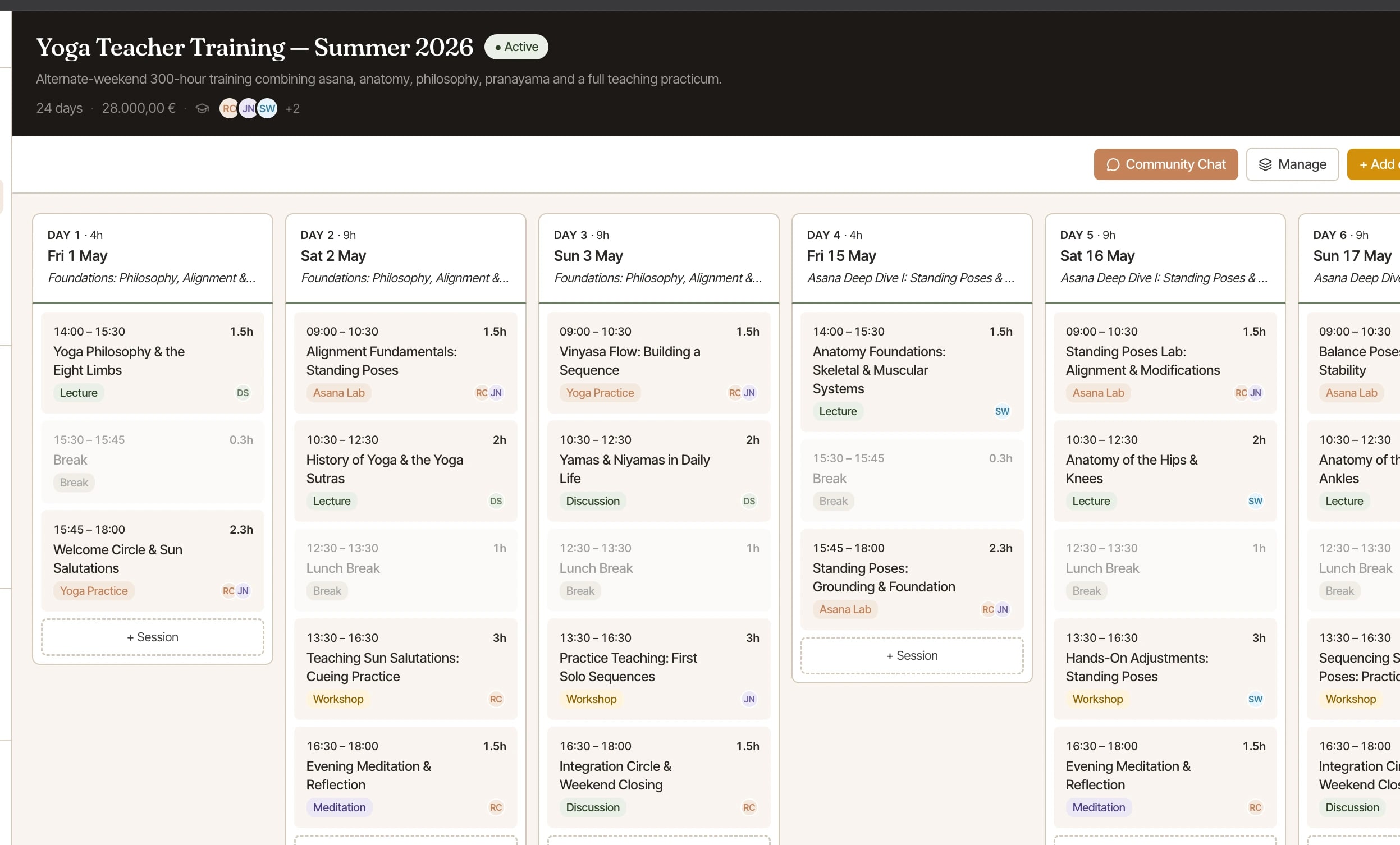
Shown with demo data from a test school.
Five parts of your training in one place
Schools often track a training across calendars, spreadsheets, WhatsApp, bank statements and PDF folders. PranaPath keeps those records with the cohort they belong to.
Plan every day and session.
Build the schedule one day at a time, with a start time, length, type and lead teacher for each session. Include breaks and lunch so the total hours stay accurate.
Open a session to see its plan, teaching team notes and discussion. Teachers and students can talk about that session without losing the context.
Times, duration and a running hour total for every day
A lead teacher assigned to each session
Private notes for the teaching team
A discussion thread for each session
Review the work and record attendance.
Each assignment has a due date and can be linked to the relevant session. Students submit from their phone. Review each submission and either accept it or request a revision with feedback.
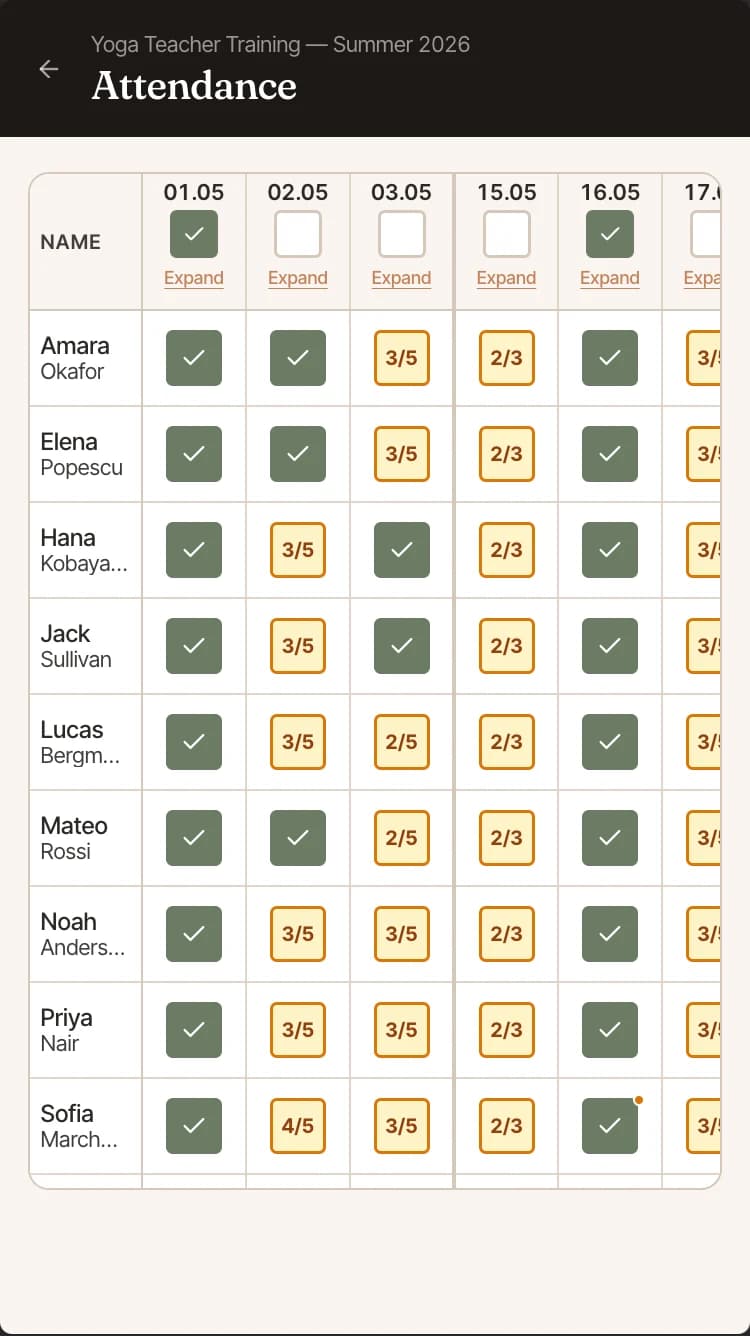
Attendance stays in one grid, with students down the side and training days across the top. If someone attends three of five Saturday sessions, their record shows three of five.
Assignments tied to a session, with a due date students can see
Accept a submission or request a revision with feedback attached
Mark a whole training day for the whole group in one pass
Partial days recorded session by session rather than as a flat absence
Keep cohort conversations with the training.
Each cohort has a group chat. Teachers can post after a training weekend, and students can reply in threads. The conversation stays with the cohort, where it can still be found months later.
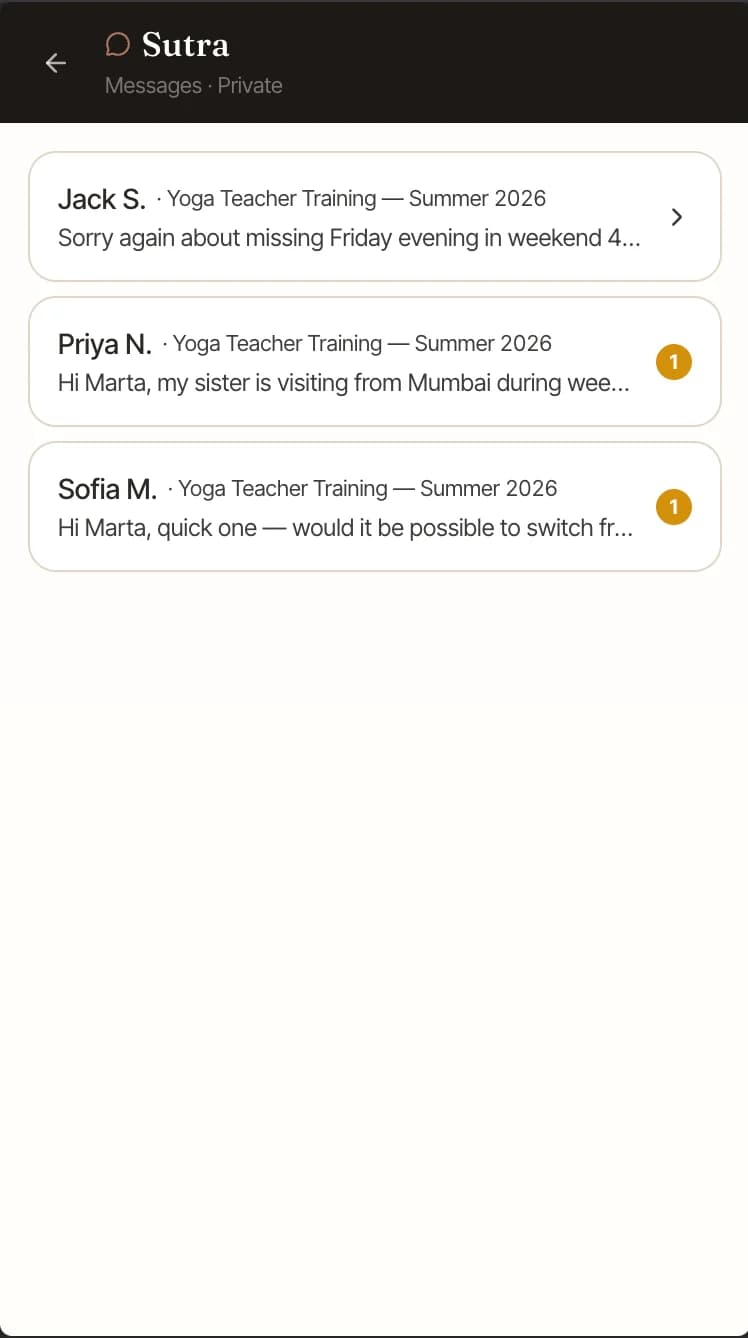
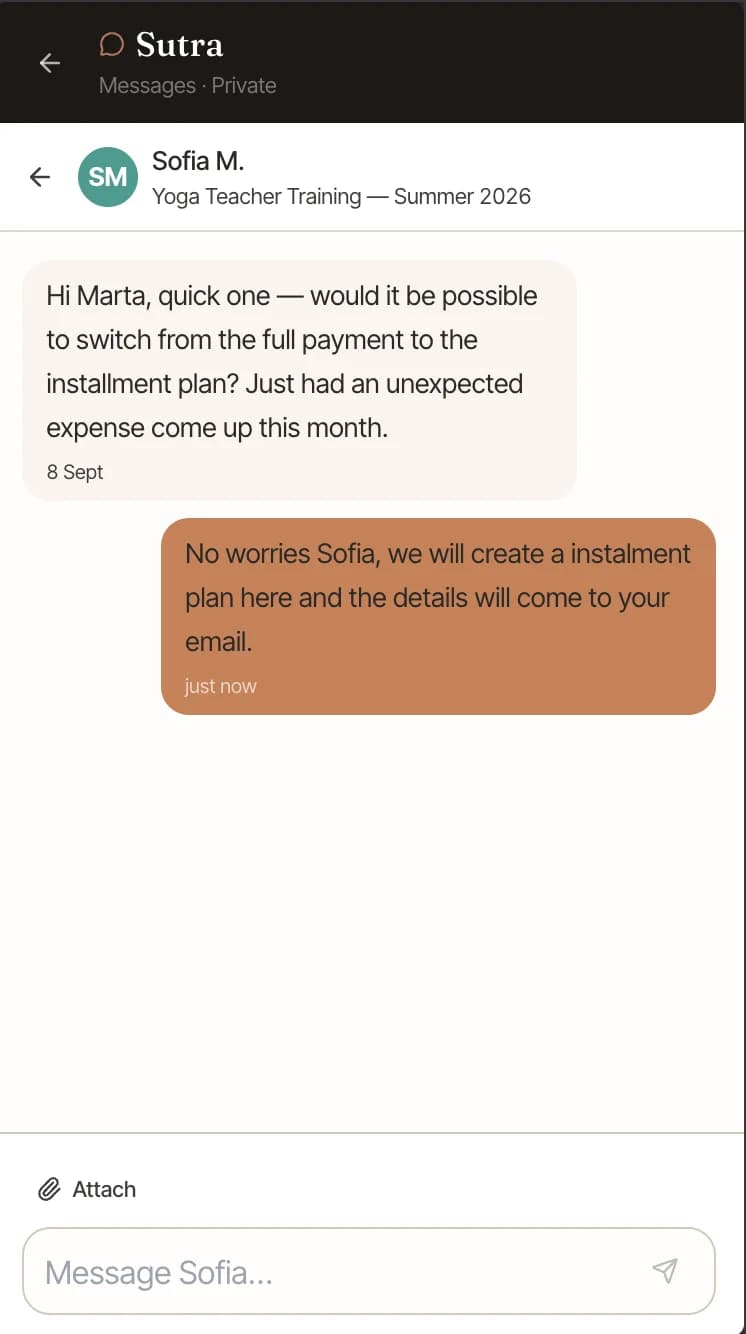
Private messages sit beside the group chat for questions a student wants to ask directly.
One group chat per training, with threads so two topics do not collide
Posts grouped under the weekend or session they belong to
Search past cohort posts
Direct messages between the school and each student, with unread counts
Track each student's payment plan.
A 200-hour training is a big payment for many students. Set the plan you agreed with each person, whether they pay in full or in installments.
If a student needs to switch plans, update their record and email the new schedule. Their payment status stays beside their attendance and submitted work.
A separate installment plan per student
Paid, due and overdue across the cohort in one view
Change a plan mid-training when a student needs it changed
Payment status beside attendance and submitted work
Give answers based on what you teach.
Upload your training manual and supporting texts. Students can ask questions and get answers based on those materials, using your terminology rather than a generic web result.
School staff can use the same assistant to see which assignments are open and which submissions still need review.
Upload your manual and supporting texts
Answers cite the material they came from
Students study from answers based on your material
Your materials are never used for another school
Your students get an app built around what you teach.
Students see their schedule, materials, assignments and cohort chat in one app. Study tools use your school's own knowledge base.
Berlin Yoga Academy
Cuing Practice
Recording analysed
Transcript
"…root down through the outer edge of your back foot…"
Strength
Your grounding cue was clear and specific, so students know exactly where to direct their energy.
Elevate your language
Growth
Try adding a drishti cue. Where the eyes rest shapes where the mind goes.
The whole point
You became a teacher to teach, not to chase payments and wrestle with spreadsheets.
Keep the schedule, attendance, assignments and payments in one place, so you can focus on teaching.
How we compare
No other platform was built for the YTT school–cohort–student model.
| Feature | Kajabi | Mindbody | Momoyoga | PranaPath |
|---|---|---|---|---|
| Built for YTT | — | — | — | |
| Day and session schedule | — | — | — | |
| Assignments with review | — | — | ||
| Attendance (YTT-aware) | — | |||
| Community chat per cohort | — | — | ||
| Payment installment ledger | — | — | — | |
| Student learning app | — | — | — |
Common questions
We run intensive formats, not weekly sessions. Does it still work?
Yes. Build the training as a series of days. A day can be one Saturday in a monthly format or day nine of a three-week intensive. You choose the rhythm.
Can students see everything at once?
Students see their schedule, materials, assignments and cohort chat. Session notes for teachers stay private. Payment records are only visible to the school and the relevant student.
What happens to our WhatsApp group?
You can move the training conversation into the cohort chat and keep WhatsApp for anything outside it. A post about weekend seven stays attached to that part of the training, so it is easy to find months later.
How does the knowledge base work?
Upload your manuals and other training material. Students can ask questions and get answers drawn from those documents, with a reference back to the source.
How is our school’s material protected?
Your materials are used only for your own students. We do not share your content with other schools or use it to answer their students.
What does it cost?
Pricing depends on cohort size and the parts of PranaPath your school uses. Most schools pay between €99 and €149 a month. Contact us and we will work out what fits your training.
Focus on teaching while we handle the admin. Join the waitlist for early access to PranaPath.
We're onboarding schools and teachers now. Drop your email and we'll reach out personally.